
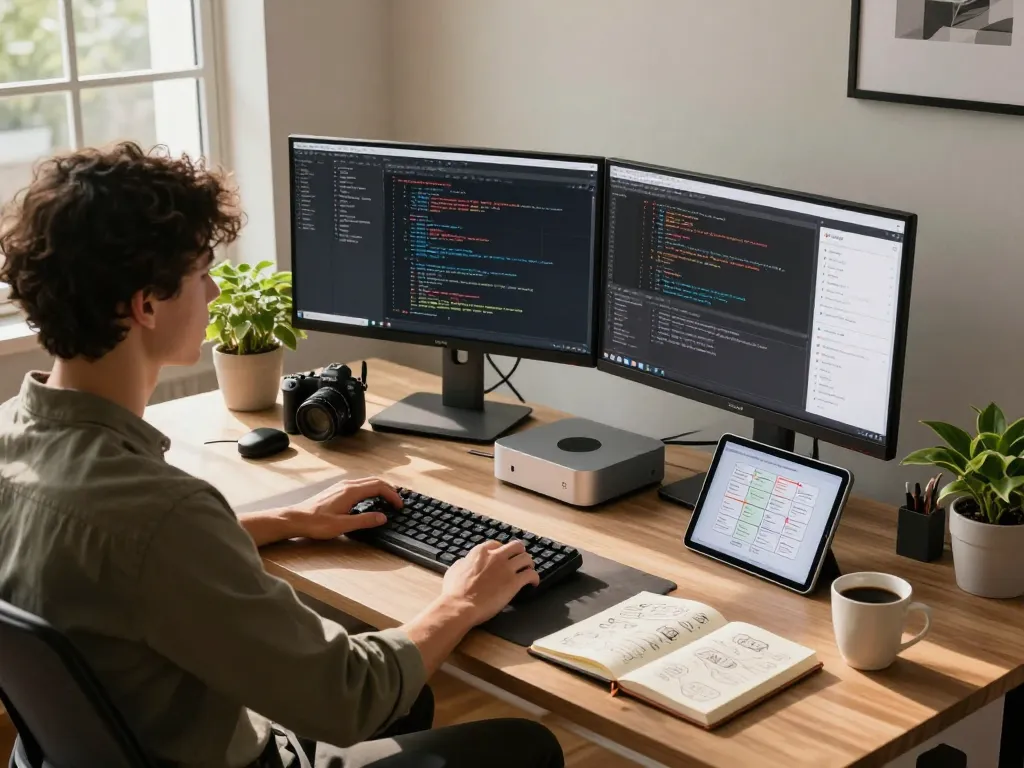
Understanding the Mac Mini: A Comprehensive Overview
The Mac Mini has become a popular choice among tech enthusiasts and everyday users alike, known for its compact design and robust performance. As a versatile desktop computing solution, the mac mini offers an impressive balance of power, efficiency, and affordability, making it an ideal option for a wide range of applications, from casual browsing to professional-grade tasks. This article explores the evolution of the Mac Mini, its key features, and how to optimally set up and utilize this remarkable device.
What is the Mac Mini?
The Mac Mini is a small form-factor desktop computer designed and manufactured by Apple. It is one of the four current Mac desktop models and offers a unique blend of performance and functionality in a compact package. Unlike traditional desktops, the Mac Mini does not come with a monitor, keyboard, or mouse, allowing users to customize their setup according to their preferences. Available with various configurations, including the latest M-series chips, the Mac Mini caters to a diverse audience, from casual users to creative professionals.
The Evolution of the Mac Mini in 2026
Since its initial release in 2005, the Mac Mini has undergone several transformations, adapting to evolving technology and user needs. As of 2026, the Mac Mini is recognized for its impressive upgrades, particularly with the introduction of the M4 chip, which enhances processing power and energy efficiency. The 2026 model features enhanced graphics capabilities, faster memory options, and greater connectivity through multiple Thunderbolt ports, ensuring that it remains competitive in today’s fast-paced computing environment.
Key Features that Set the Mac Mini Apart
- Compact Design: The Mac Mini’s small footprint allows it to fit in tight spaces, making it suitable for home offices, studios, or as part of a multi-screen setup.
- High-Performance M-Chip: The integration of Apple’s M-series chip delivers significant performance improvements, ensuring that demanding applications run smoothly.
- Universal Compatibility: The Mac Mini supports 100+ platforms and services, enabling seamless integration with devices such as iPhones, iPads, and various smart home technologies.
- Energy Efficiency: With its low power consumption, the Mac Mini provides an eco-friendly computing solution without compromising on performance.
- Customization Options: Users can configure the Mac Mini with different RAM and storage options, allowing for personalized performance tailored to their specific needs.
Setting Up Your Mac Mini: Installation and Configuration
Getting started with your Mac Mini is a straightforward process that can be completed in just a few steps. Whether you’re transitioning from another device or setting it up as your first computer, the Mac Mini’s installation process is designed to be user-friendly and efficient.
Step-by-Step Installation Guide for All Operating Systems
- Unbox your Mac Mini and connect it to your display, keyboard, and mouse.
- Power on the device and follow on-screen prompts to select your language and region.
- Connect to Wi-Fi and sign in with your Apple ID, or create a new account if necessary.
- Transfer data from another Mac or PC if needed, or set up your Mac Mini as a new device.
- Install any necessary software updates to ensure optimal performance.
Key Configuration Settings for Optimal Performance
After installation, several configuration settings can enhance your Mac Mini experience:
- Display Resolution: Adjust your display settings to match the optimal resolution for your monitor.
- Energy Saver Settings: Optimize power usage by configuring sleep settings and enabling automatic graphics switching.
- Privacy and Security: Set up FileVault for disk encryption and configure your firewall settings for additional security.
- Accessibility Features: Explore Mac OS accessibility options to tailor the experience for your specific needs, including VoiceOver and screen magnification.
Common Installation Issues and Troubleshooting Tips
While the installation process is generally smooth, users may encounter some common issues. Here are a few troubleshooting tips:
- If the Mac Mini doesn’t power on, ensure that all connections are secure and try a different power outlet.
- For display issues, double-check that the monitor is powered on and correctly connected to the Mac Mini.
- If connectivity problems arise, verify that your Wi-Fi network is functioning properly and that you are within range.
- Should you encounter software-related issues, restarting the device or booting in safe mode can often resolve the problem.
Maximizing Productivity with Your Mac Mini
To get the most out of your Mac Mini, it’s essential to adopt strategies that enhance productivity. With the right tools and configurations, your Mac Mini can become a powerful workstation.
Essential Apps and Tools for Enhanced Workflow
Utilizing the right applications can significantly boost your productivity. Consider installing:
- Productivity Tools: Applications like Notion, Todoist, and Trello can help you manage tasks and projects effectively.
- Development Environments: For developers, tools like Visual Studio Code, Docker, and Xcode can streamline coding and project management.
- Creative Software: Applications such as Adobe Creative Cloud or Final Cut Pro are perfect for designers and video editors needing performance and reliability.
- Collaboration Platforms: Slack, Zoom, and Microsoft Teams facilitate communication and collaboration in remote working environments.
Integrating with Other Devices and Platforms
The Mac Mini offers excellent compatibility with various devices and services, making it easier to create a cohesive tech ecosystem. Whether you use other Apple products or third-party devices, seamless integration enhances your productivity. Consider connecting:
- Your iPhone or iPad for continuity features such as Universal Clipboard, Handoff, and AirDrop.
- Smart home devices through HomeKit for centralized control of your environment.
- External storage solutions like NAS for expanded storage capacity and easy access to files.
Creating a Custom Workflow for Your Needs
Developing a custom workflow can help you take full advantage of your Mac Mini’s capabilities. Start by identifying your most common tasks and consider creating automation scripts using tools like Automator or AppleScript. This can streamline repetitive tasks and improve efficiency, allowing you more time to focus on the work that truly matters.
Cost-Effectiveness of the Mac Mini: A Financial Perspective
Another attractive aspect of the Mac Mini is its cost-effectiveness compared to other desktop solutions. Understanding the total cost of ownership can help users make informed decisions about their investments in technology.
Understanding the Total Cost of Ownership
The initial purchase price of a Mac Mini varies based on configuration, but it’s essential to consider long-term expenses. While traditional desktop computers may have lower upfront costs, the Mac Mini’s energy efficiency and durability can lead to lower overall costs over time. Additionally, since it runs on macOS, users benefit from a lack of required licensing fees for software upgrades.
Comparing Mac Mini Costs with Other Desktop Solutions
When comparing the Mac Mini to other desktop options, consider both hardware and software costs. While some budget PCs may have a lower price point, they may require ongoing fees for software licenses. By contrast, the Mac Mini’s integrated software and security updates are included, creating potential savings in the long run.
How Self-Hosting Reduces Your Overall Expenses
For users looking to leverage an open-source AI assistant like Moltbot AI, self-hosting on a Mac Mini can significantly reduce expenses. This approach eliminates subscription fees associated with many AI assistants, allowing users to pay only for the usage-based API costs. Given the growing effectiveness of self-hosted solutions, many tech-savvy users are making the switch.
The Future of the Mac Mini: Trends and Predictions
As technology evolves, the Mac Mini is poised to adapt and thrive in the changing landscape of computing. Understanding trends and potential upgrades can help users prepare for the future.
Anticipated Features and Upgrades for 2026 and Beyond
Looking forward, the Mac Mini is expected to see enhancements in performance capabilities, particularly with advancements in chip technology and integrated GPUs. Potential features include improved thermal efficiency and advanced connectivity options, such as Wi-Fi 7 and better support for external peripherals.
Emerging Technologies that Will Impact Mac Mini Users
Technological advancements such as cloud computing, artificial intelligence, and machine learning are likely to influence how users interact with their Mac Mini. For instance, software that utilizes AI for automation may become more prevalent, enabling users to accomplish tasks with greater efficiency.
How the Mac Mini Fits Into the Future of Home Computing
As remote work and home offices become increasingly common, the Mac Mini offers a flexible solution for users seeking powerful yet compact computer systems. With its adaptability and performance, it can serve as a reliable workstation for various tasks, from creative projects to office work.
What Makes the Mac Mini a Sustainable Choice?
In addition to its performance and cost-effectiveness, the Mac Mini is a sustainable choice due to its energy efficiency and longevity. By utilizing eco-friendly materials and focusing on power conservation, Apple has created a desktop computer that not only meets user needs but also aligns with environmental considerations. This sustainability factor further enhances the appeal of the Mac Mini in today’s eco-conscious market.