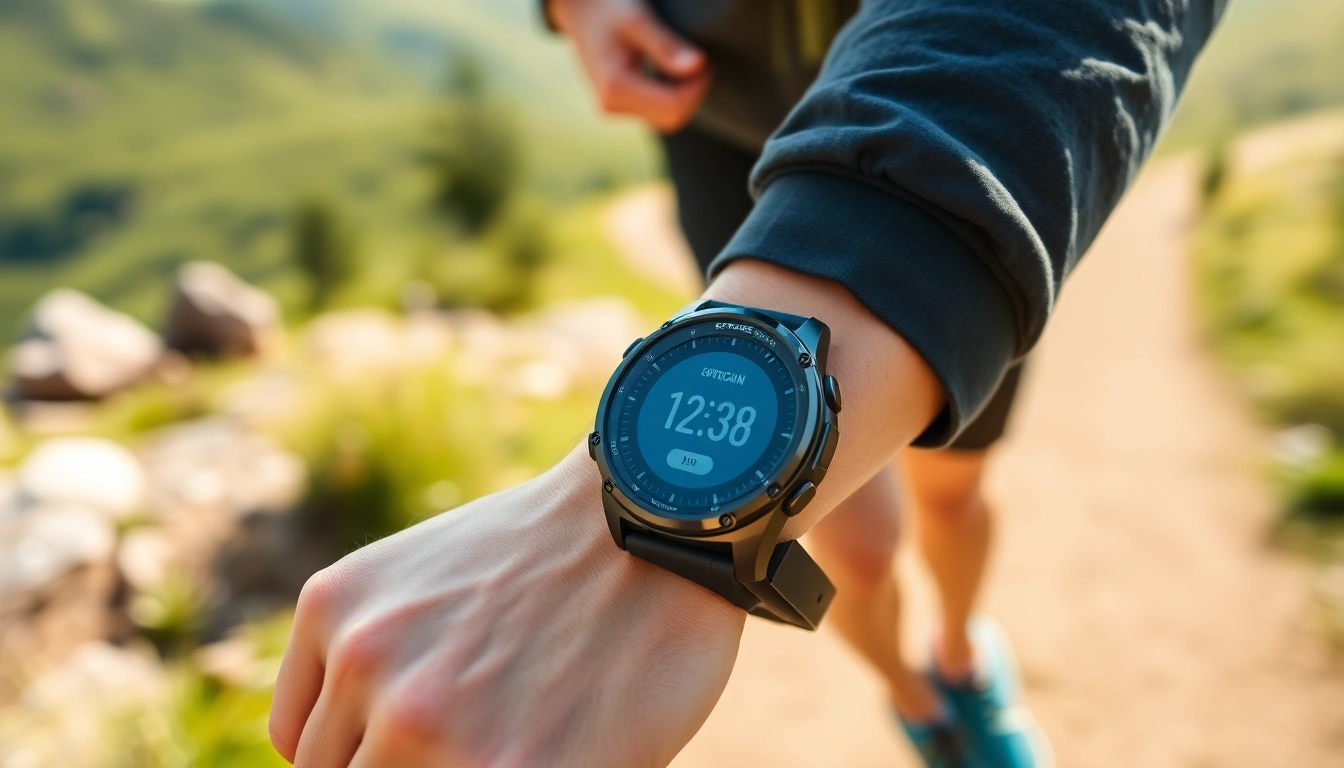
Introduction to Explorer GPS Smart Watch
The Explorer GPS Smart Watch is revolutionizing the way outdoor enthusiasts and fitness aficionados approach their activities. Blending cutting-edge technology with user-friendly design, this smartwatch facilitates everything from fitness tracking to navigation, making it an essential companion for adventurers of all kinds.
What is the Explorer GPS Smart Watch?
The Explorer GPS Smart Watch is a multifunctional device designed to cater to individuals seeking to enhance their lifestyle through careful tracking and navigation features. Equipped with a range of sensors and advanced software integration, it provides users with real-time insights about their activities, health, and surroundings. Whether hiking, running, biking, or engaging in water sports, the Explorer GPS Smart Watch can assist in tracking performance and ensuring safety.
How Does It Work?
The functionality of the Explorer GPS Smart Watch hinges on several key components. Through its integrated GPS system, users can receive precise location data, which enhances outdoor navigation. The watch communicates with mobile devices via Bluetooth, allowing for a seamless flow of information and notifications. Fitness metrics are collected using various internal sensors, including a heart rate monitor and accelerometer, providing users with critical insights into their physical activities.
Key Features Overview
- GPS Navigation: Accurate and real-time location tracking.
- Activity Monitoring: Tracks steps, distance, and calories burned.
- Heart Rate Monitoring: Continuous heart rate tracking for health insights.
- Water Resistance: Designed to withstand various weather conditions.
- Smart Notifications: Receive calls, texts, and app alerts directly on the watch.
Benefits of Using Explorer GPS Smart Watch
Choosing the Explorer GPS Smart Watch comes with a host of benefits that extend beyond basic timekeeping. From health tracking capabilities to navigational tools and robust design, this smartwatch is a game-changer for those interested in tracking their progress while enjoying the great outdoors.
Fitness Tracking Capabilities
One of the standout features of the Explorer GPS Smart Watch is its comprehensive fitness tracking capabilities. Users can monitor their daily activities and workouts with precision. The watch's built-in accelerometer and heart rate monitor provide data regarding exercise intensity, recovery times, and even sleep quality. These insights allow users to set realistic goals and track their progress effectively, encouraging an active lifestyle.
Navigational Tools
Equipped with an advanced GPS system, the Explorer GPS Smart Watch provides more than just distance tracking. Users can access offline maps for varied terrains, create routes, and pinpoint their exact locations, which is invaluable when exploring remote areas. This feature not only enhances navigational safety but also helps in discovering new trails and paths that users might not have ventured into otherwise.
Durability and Design
The design of the Explorer GPS Smart Watch prioritizes durability without sacrificing style. Built to withstand outdoor conditions, it is water-resistant and features a rugged exterior that can endure scratches and impacts. The interface is intuitive, with a brightly lit screen allowing easy navigation even in bright sunlight. Additionally, customizable watch faces and interchangeable bands make it a versatile accessory for various situations, whether in nature or at the office.
Setting Up Your Explorer GPS Smart Watch
Getting started with the Explorer GPS Smart Watch is a straightforward process, ensuring that you can quickly harness its capabilities. Initial setup involves several key steps, including configuration, connection with smartphones, and customization of user settings.
Initial Configuration Steps
To configure your Explorer GPS Smart Watch, begin by charging the device fully before first use. After charging, power it on and follow the on-screen prompts to select your preferred language and connect to Wi-Fi if necessary. The setup might also involve updating the watch's software, which is vital for accessing the latest features and improvements.
Connecting to Your Smartphone
For full functionality, connecting your Explorer GPS Smart Watch to your smartphone is essential. Download the accompanying mobile app, available for both iOS and Android devices. Open the application and follow the instructions to pair it with your smartwatch via Bluetooth. This connection allows you to receive notifications, track fitness metrics, and sync data for a more comprehensive overview of your health and activities.
Customizing Settings
Once connected, you can customize settings to suit your preferences. Adjust notifications to receive alerts for calls and messages, personalize activity goals, and select the metrics most relevant to your lifestyle. The Explorer GPS Smart Watch app will also allow for further personalization with watch faces and widgets, ensuring the user experience is fully optimized.
Maintaining Your Explorer GPS Smart Watch
Regular maintenance of the Explorer GPS Smart Watch is crucial to ensure longevity and optimal performance. From battery care to software updates, a few simple practices can go a long way in preserving the functionality of your device.
Battery Life Tips
To maximize battery life, consider adjusting screen brightness and turning off features that are not in use, such as GPS when indoors. Utilizing power-saving modes can also extend usage time when on longer excursions. Regularly charging the watch and avoiding full discharges can help maintain better battery health over time.
Cleaning and Care
Cleaning your watch is essential, especially after outdoor activities. Use a damp cloth to wipe the screen and bands periodically, ensuring that dirt and sweat do not accumulate. For deeper cleaning, remove the watch from your wrist and clean it under running water, taking care not to immerse it beyond its water-resistant limit.
Software Updates
Keeping your Explorer GPS Smart Watch updated is key to accessing new features and improvements. Regularly check for software updates through the companion app as they often enhance functionality and fix performance issues. A simple update process usually involves connecting the smartwatch to a Wi-Fi network and following notifications within the app.
FAQs about Explorer GPS Smart Watch
1. Is the Explorer GPS Smart Watch waterproof?
Yes, the Explorer GPS Smart Watch is designed with water-resistant features, suitable for swimming and activities in wet conditions, though it's recommended to check the specific depth ratings.
2. Can I receive calls on the Explorer GPS Smart Watch?
Absolutely! The Explorer GPS Smart Watch allows users to receive calls, texts, and app notifications directly on the device when connected to a smartphone via Bluetooth.
3. Does it support different sports modes?
Yes, the watch supports various sports modes, including running, cycling, swimming, and more, adjusting metrics and tracking based on the activity selected.
4. How accurate is the GPS tracking?
The GPS tracking of the Explorer GPS Smart Watch is highly accurate, providing real-time data for location and distance, which is vital for effective navigation during outdoor activities.
5. What is the battery life on a full charge?
On a full charge, the battery life of the Explorer GPS Smart Watch can last several days, depending on usage, features activated, and activity level tracked throughout the day.